
Bank Statement Expense Tracker: A Smarter Way to Track Your Spending
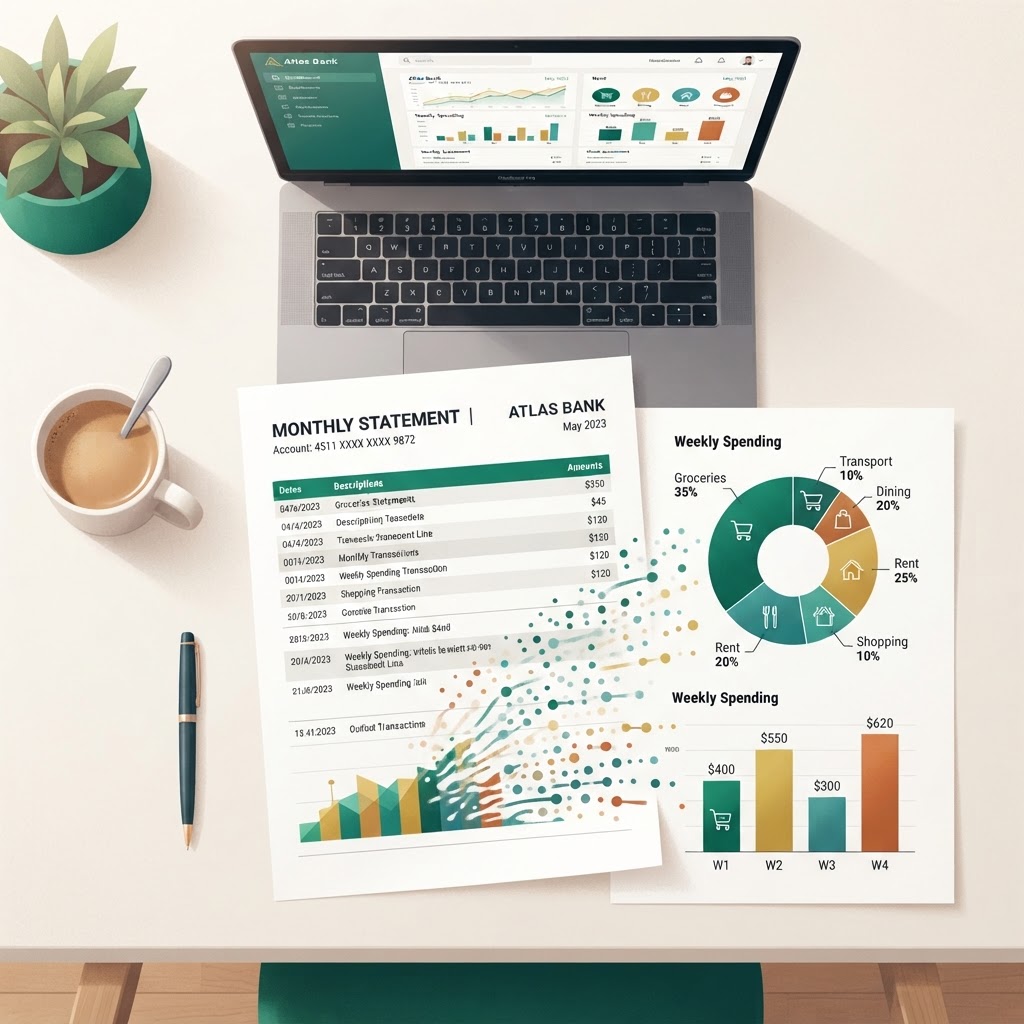
Tracking your spending shouldn't mean manually entering every transaction into a spreadsheet. If you already receive bank statements — whether as PDFs, CSVs, or Excel files — you have all the data you need. A bank statement expense tracker turns those statements into organized, categorized spending insights automatically, without connecting your bank account or sharing your login credentials.
In this guide, we'll walk through what a bank statement expense tracker does, why it's more effective than manual entry, and how to use one to understand where your money really goes.
What Is a Bank Statement Expense Tracker?
A bank statement expense tracker is a tool that reads your bank or credit card statements, extracts individual transactions, and organizes them into categories — automatically. Instead of typing each transaction by hand, you upload a statement file and let the tracker do the heavy lifting.
The result is a structured view of your spending: every transaction categorized, every merchant normalized, and every dollar accounted for. You get the same insights you'd get from a manual spreadsheet, but without the hours of data entry.
ShowMyXpense is built around this approach. You upload your statement, and the app extracts, categorizes, and organizes your transactions in seconds — no bank connection required.
Why Track Expenses from Your Bank Statement?
You Already Have the Data
Every month, your bank sends you a statement. It lists every transaction, every deposit, and every fee. That statement is the most complete record of your spending available — more complete than what most people track manually, because it captures everything: the coffee you forgot about, the subscription you meant to cancel, the charge you didn't recognize.
A bank statement expense tracker takes advantage of this existing data. Instead of asking you to record transactions as they happen (which most people abandon within weeks), it works retroactively — you upload a statement when you're ready, and the tracker processes the entire period at once.
Catch Every Transaction
Manual tracking is prone to gaps. You remember the big purchases but forget the small ones — and small purchases add up. When you track from your bank statement, every transaction is included, whether you remember it or not.
This includes:
- Debit card transactions
- Credit card payments
- Bank transfers
- Standing orders and direct debits
- ATM withdrawals
- Fees and interest charges
Spot Patterns You'd Otherwise Miss
When all your transactions are in one place, categorized consistently, patterns become visible. You might discover you're spending more on dining out than you thought, or that a recurring subscription has been quietly draining your account for months. A good expense tracker surfaces these patterns through charts, category breakdowns, and month-over-month comparisons.
Common Challenges with Manual Expense Tracking
Duplicate Transactions
When you import multiple statements — say, a monthly statement and a six-month summary — the same transaction can appear twice. Without duplicate detection, your spending totals get inflated. A quality bank statement expense tracker uses fingerprint matching (combining date, amount, merchant, and reference number) to identify and flag duplicates automatically.
Multi-Currency Transactions
If you travel or shop internationally, your statements may include transactions in multiple currencies. Tracking these manually requires looking up exchange rates and converting each transaction — a tedious process. A good tracker handles multi-currency transactions automatically, converting everything to your base currency using accurate exchange rates.
Inconsistent Merchant Names
Your bank statement might show "GRAB *SG SINGAPORE" one month and "Grab Singapore" the next — same merchant, different name. Without merchant normalization, these appear as two different vendors in your reports. A smart expense tracker normalizes merchant names so all Grab transactions group together.
Time-Consuming Categorization
Categorizing 200 transactions by hand takes hours. An AI-powered tracker reads each transaction description and assigns a category — Groceries, Transport, Dining, Utilities — automatically. You can review and adjust, but the initial pass is done for you.
How a Bank Statement Expense Tracker Works
Step 1: Upload Your Bank Statement
Start by exporting your statement from your bank's app or website. Most banks let you download statements as PDF, CSV, or Excel files. Upload the file to your expense tracker. The tool reads the file and extracts each transaction — date, description, amount, and reference number.
Tip: You don't need to connect your bank account. Uploading a statement file gives you the same data without sharing your banking credentials. This is safer and works with any bank.
Step 2: Automatic Categorization
Once transactions are extracted, the tracker assigns each one a category. It does this by reading the transaction description and matching it against known merchants and spending categories. For example:
| Transaction Description | Assigned Category | |---|---| | NTUC FAIRPRICE | Groceries | | GRAB *SG SINGAPORE | Transport | | SHOPEE SINGAPORE | Shopping | | SP GROUP | Utilities |
You can also create custom categorization rules — for example, "if the vendor contains 'Starbucks,' categorize as Coffee" — so future transactions are categorized the same way automatically.
Step 3: Duplicate Detection
If you upload overlapping statements (say, a January-March summary and then a separate January statement), the tracker checks each new transaction against your existing records. Using a combination of date, amount, merchant, and bank reference number, it flags potential duplicates and lets you decide whether to keep or skip them.
This three-level detection ensures:
- Exact matches (same date, amount, merchant, and reference ID) are flagged as duplicates
- Possible matches (same date, amount, and merchant but different reference ID) are flagged for review
- Unique transactions are imported without interruption
Step 4: Spending Insights and Reports
With all transactions imported and categorized, the tracker generates insights:
- Monthly spending totals — how much you spent each month
- Category breakdowns — where your money went by category
- Top vendors — which merchants you spent the most with
- Recurring payments — subscriptions and standing orders you might want to review
- Payment source analysis — spending by credit card, debit card, or bank transfer
- Budget tracking — how your actual spending compares to your budget
These insights help you answer questions like "Am I spending more this month than last?" and "Where can I cut back?"
Multi-Currency Support for International Spending
If you make transactions in multiple currencies — perhaps you pay for software in USD, shop on international sites in EUR, or travel and spend in JPY — your expense tracker needs to handle conversions. A bank statement expense tracker that supports multi-currency transactions will:
- Record the original amount and currency for each transaction
- Fetch the exchange rate for the transaction date
- Convert the amount to your base currency (e.g., SGD)
- Show both the original and converted amounts in reports
This ensures your spending totals are accurate regardless of how many currencies you transact in.
How to Choose the Right Expense Tracker
When evaluating a bank statement expense tracker, look for these features:
| Feature | Why It Matters | |---|---| | Statement upload (PDF, CSV, Excel) | Works with any bank, no connection required | | Automatic categorization | Saves hours of manual work | | Duplicate detection | Prevents inflated totals from overlapping imports | | Multi-currency support | Accurate totals for international spending | | Merchant normalization | Groups transactions by real vendor | | Budget tracking | Helps you stay on target | | Spending reports | Surfaces patterns and trends | | Privacy — no bank connection | Keeps your credentials safe | | Recurring payment detection | Helps you spot subscriptions to cancel |
Turn Your Bank Statements into Clear Spending Insights
You already receive bank statements every month. A bank statement expense tracker turns those statements into clear, organized spending insights — automatically categorized, duplicate-free, and ready to analyze.
With ShowMyXpense, you can upload your statement, let the app categorize and organize your transactions, and see exactly where your money goes — all without connecting your bank account.
Ready to see your spending clearly? Get started with ShowMyXpense or explore our features and pricing to learn more.
Frequently Asked Questions
Last updated: 1 October 2026